NetMirror APK Download v3.1 for Android — Latest Version (November 2026)
Download the latest NetMirror APK and watch movies, web series, anime and live sports in HD — all in one free app. No sign-up, no subscription fee, just a fast, simple player that also works on Smart TV, Firestick and PC. This page was re-checked on November 2026 against the current v3.1 file, so the version, size and install steps below match exactly what you will download.
⬇ Download NetMirror APK v3.1Are you looking for a free streaming software that provides web series, TV shows, documentaries, anime, sports events, HD Hollywood, Bollywood, and Korean films, and endless entertainment?
All of this is provided by NetMirror APK without any further fees. Downloading the program from official sources is all that is required. You can begin streaming at any time and from any location with the download link available for Android, iOS, PC, and Smart TV.
NetMirror APK — App Information
Every detail below is taken from the actual file available on this page — verified, not copied from other sites.
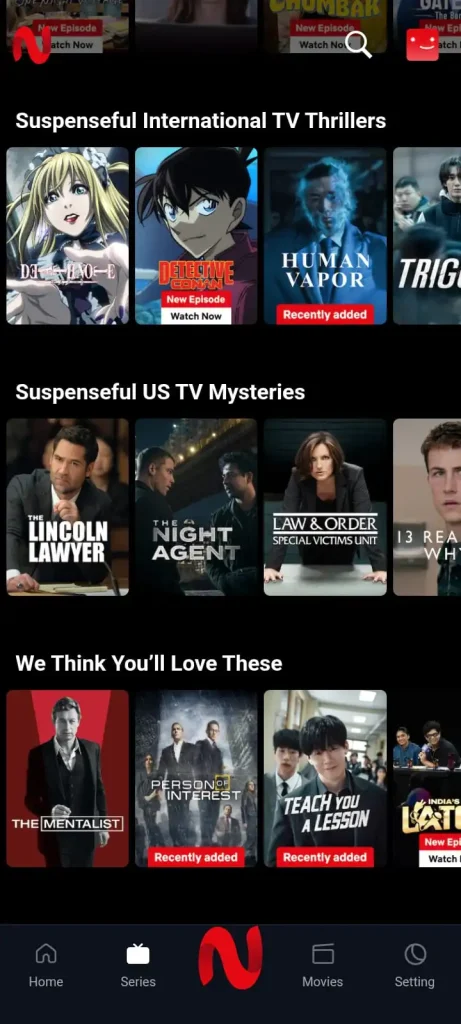
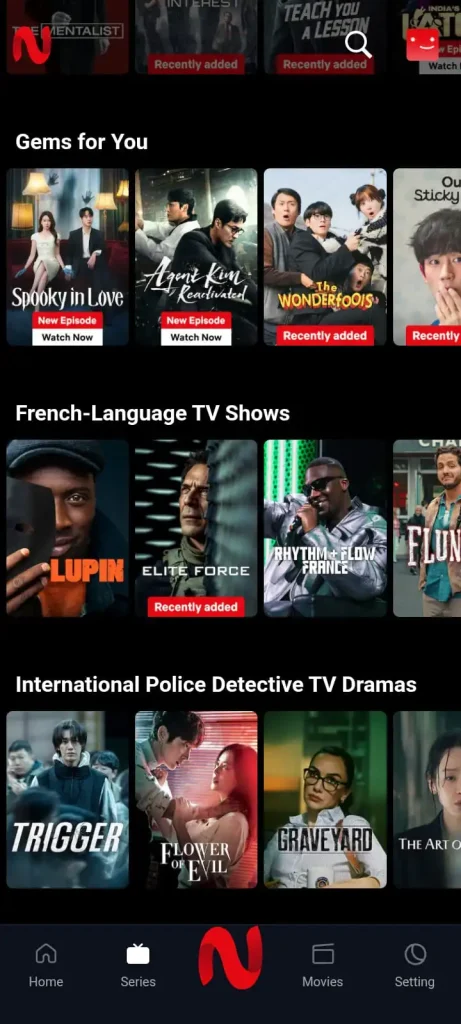
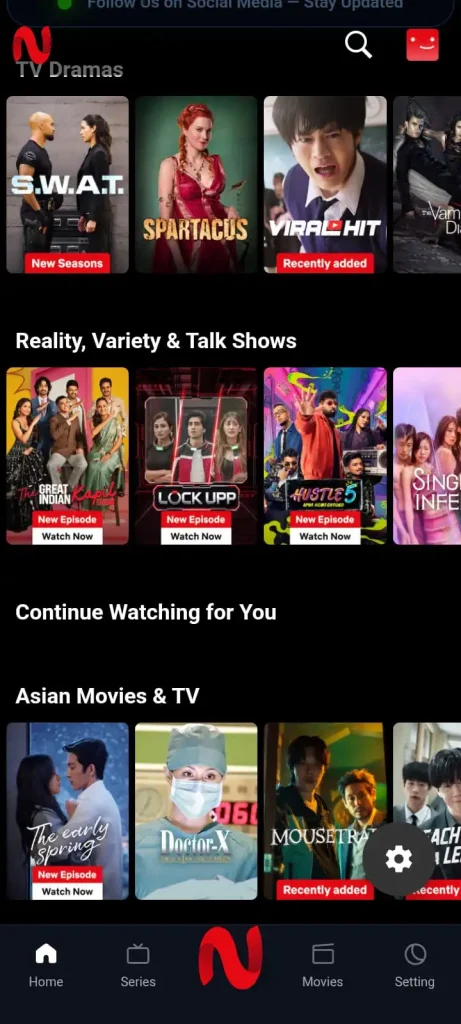
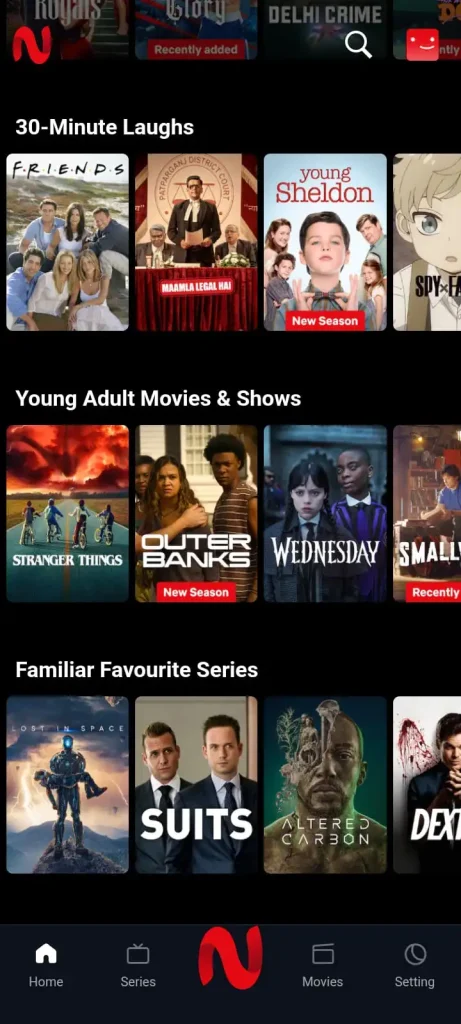
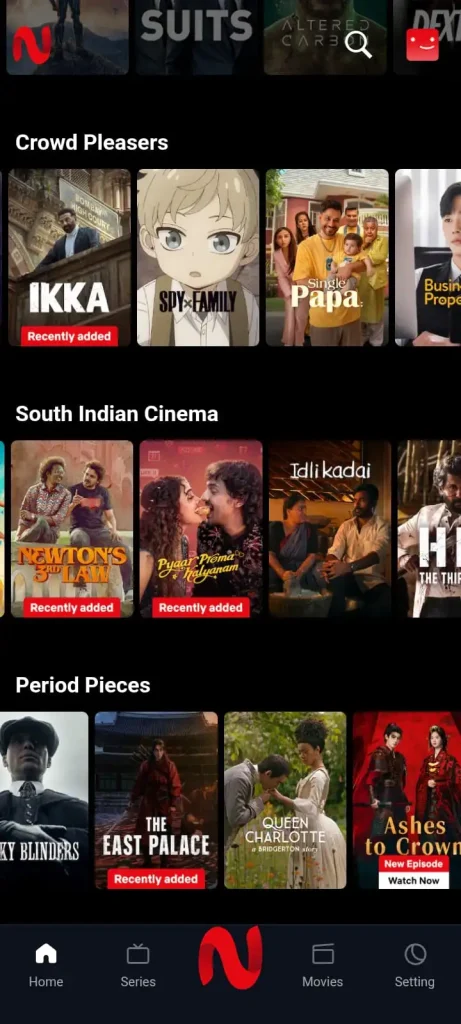
Check out the latest NetMirror download screenshots, app interface previews, and feature images. This gallery gives you a quick visual overview before you download and explore the app yourself.
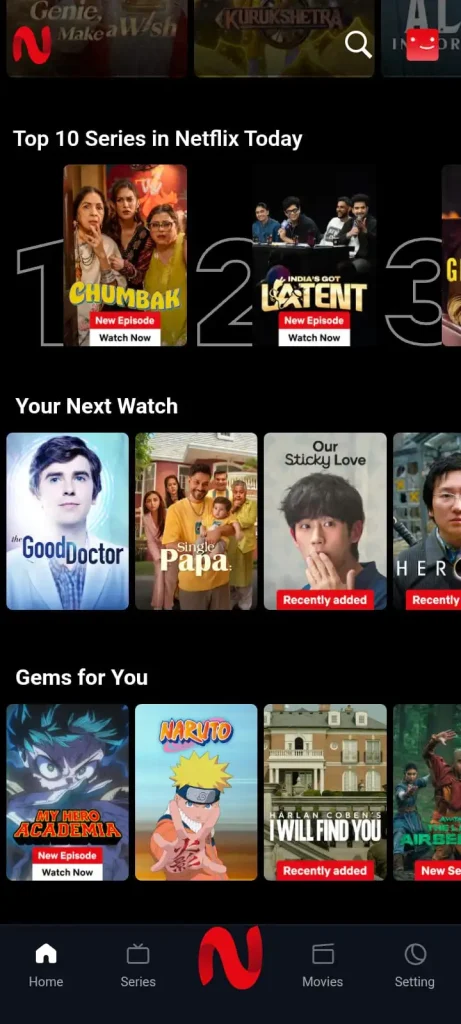
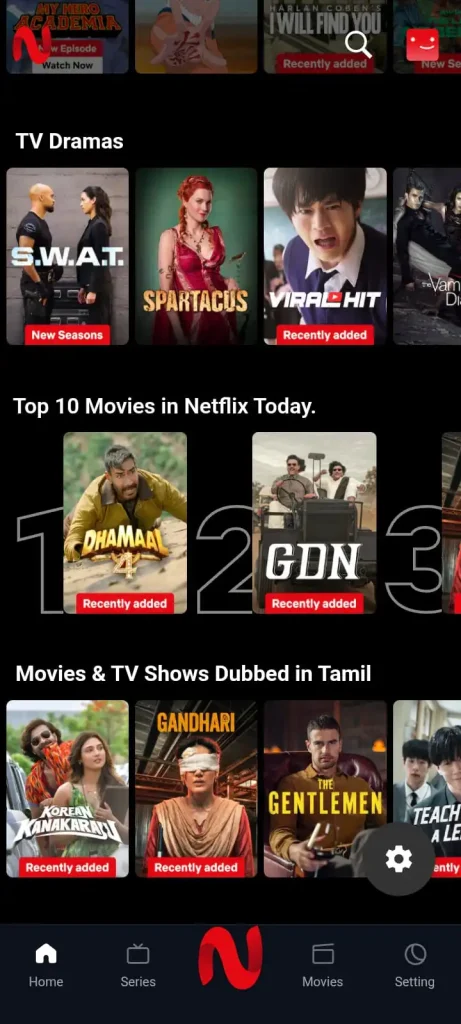
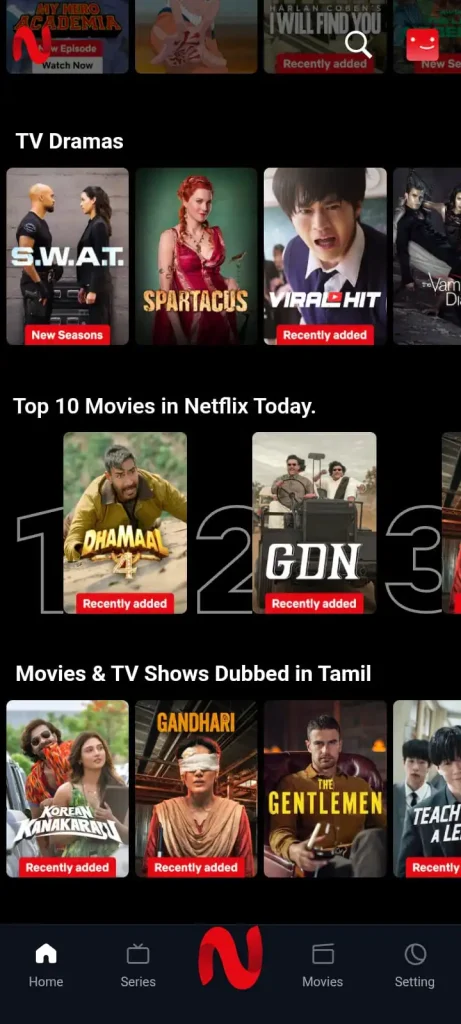
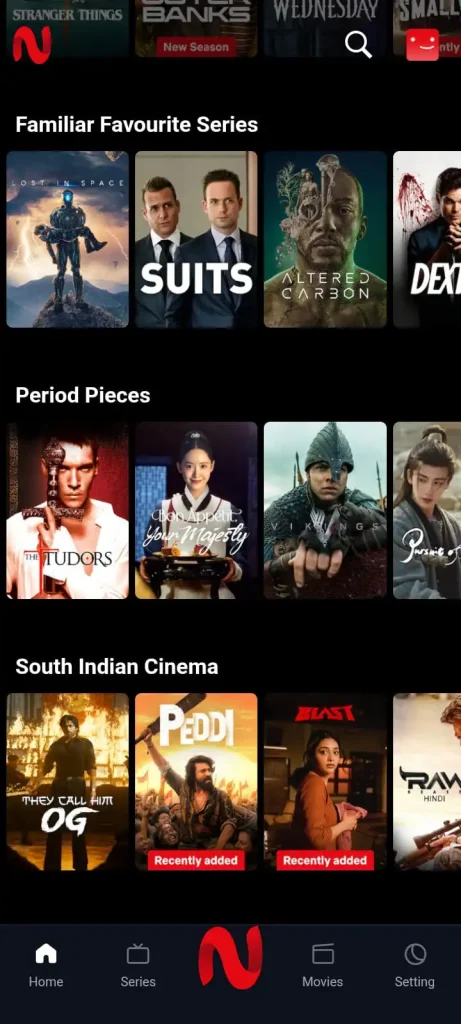
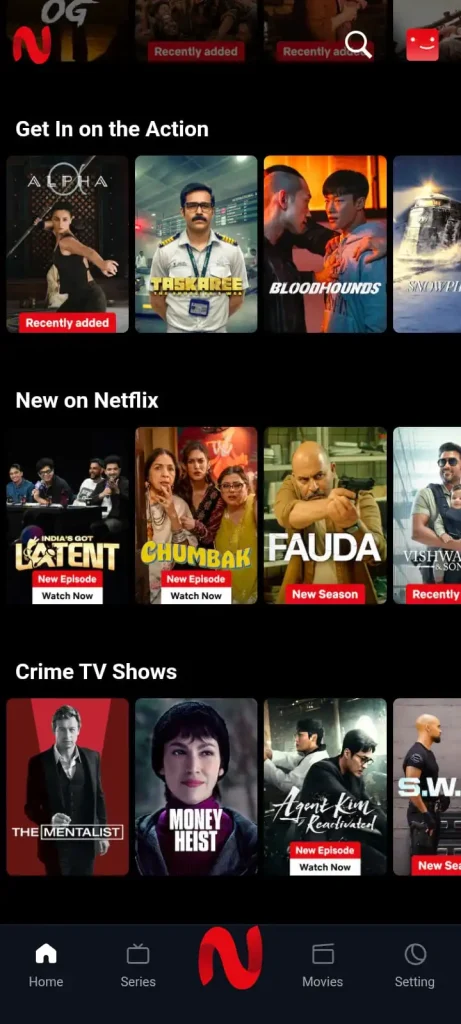
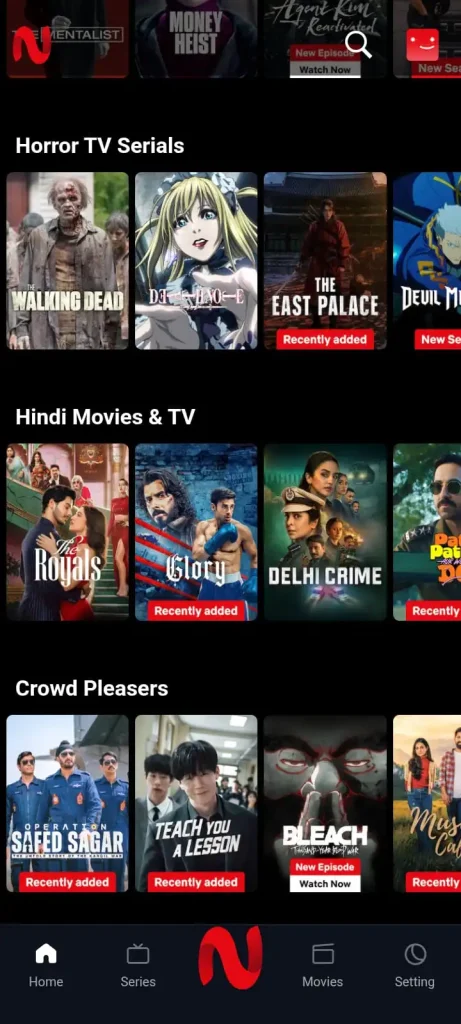
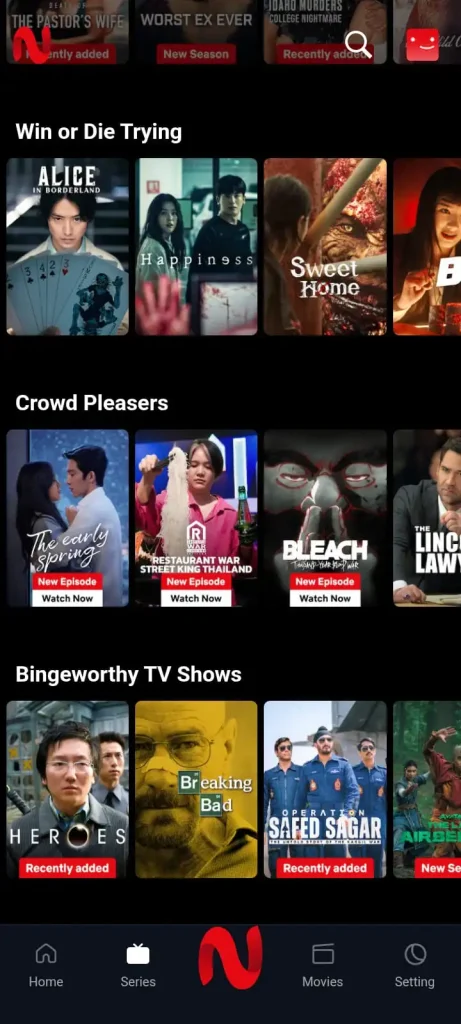
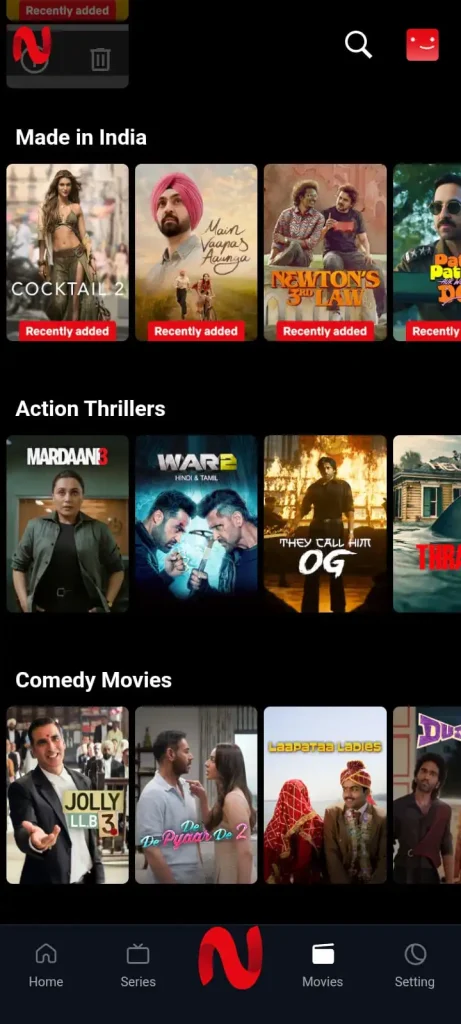
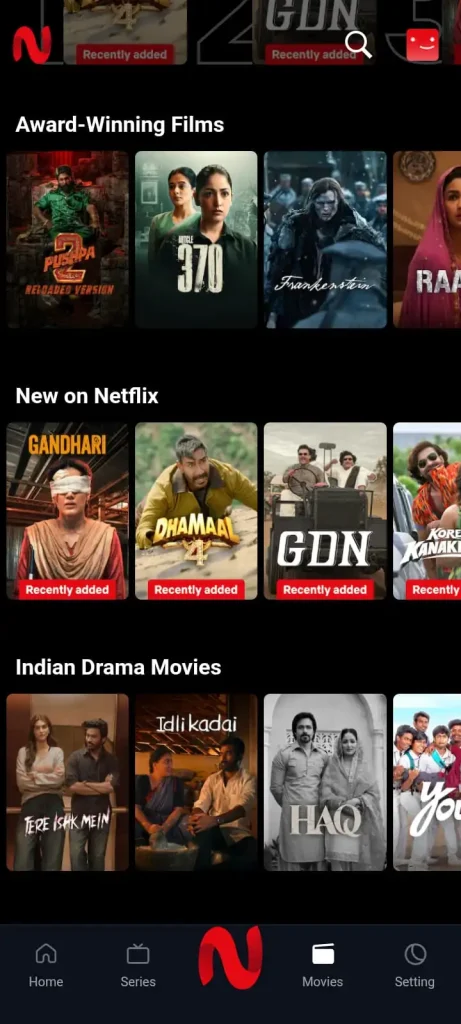
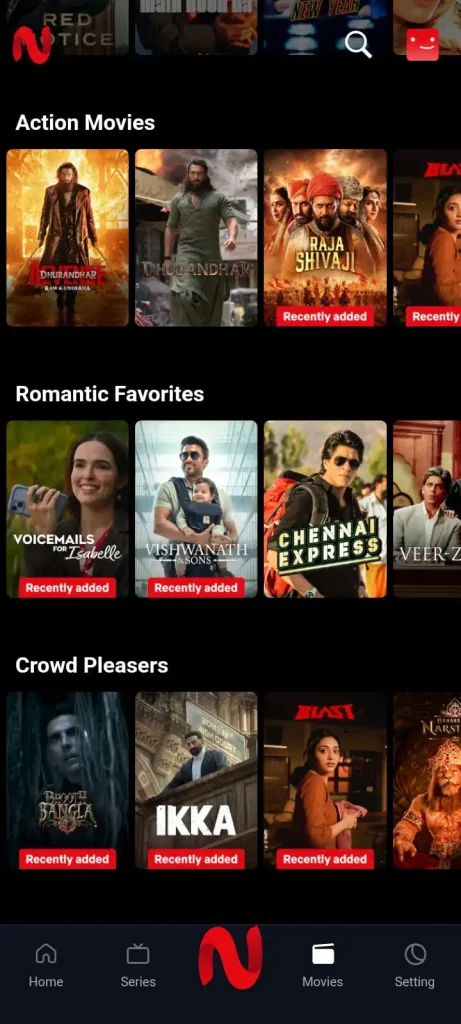
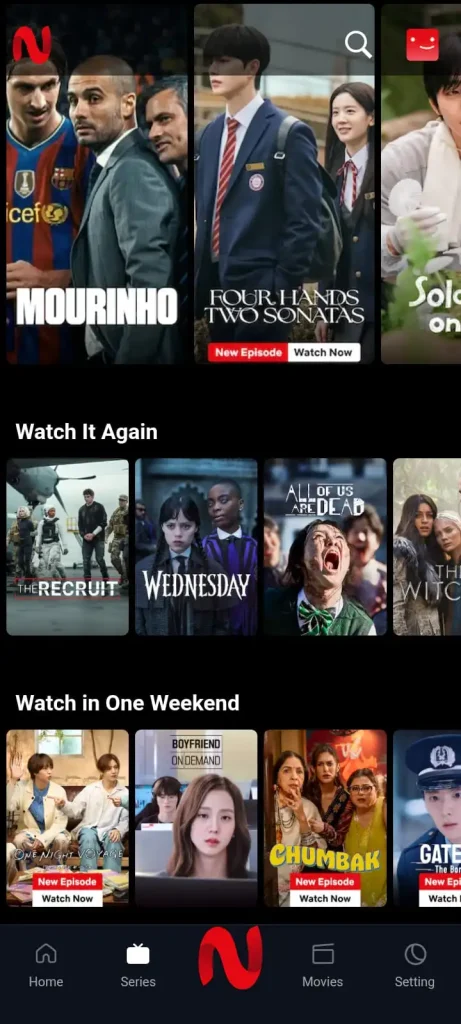
What is the NetMirror APK (App)?
More than 100,000 HD films, TV series, and web series, including Bollywood and Hollywood content, are available for free download via the NetMirror APK app, a third-party streaming service. Because of its seamless streaming experience with less buffering, this streaming app is becoming more and more popular.
It provides a large selection of free content that is typically accessible through monthly subscriptions on over-the-top (OTT) platforms like Netflix, Amazon Prime Video, Disney+, and HBO Max.
We think that everyone should have easy access to entertainment in the current digital world. Users only need to install the NetMirror Mod Apk software to begin watching in full HD resolution and explore their favorite content in high quality without needless formalities or complex tasks.

What Type of Content Does NetMirror Android app Offer?
With the vast content catalog of NetMirror TV APK, users may watch online Ultra HD films from Bollywood, Hollywood, Turkish series, European cinema, Chinese content, Korean dramas, anime, and films, as well as TV series, web series, and documentaries.
Horror, action, humor, suspense, adventure, thriller, vintage films, animated films, short films, and award-winning films are all available for viewing here.
There are also instructive videos, family-friendly films, animated series, cartoons, and story-based moral education programs available for children. It is specifically made to amuse kids while assisting them in learning in a fun and safe manner.
Key Features of NetMirror APK
NetMirror’s features are centred on convenience, content discovery and device flexibility. The most searched features include a large content library, HD streaming, a simple user interface, search options, offline viewing, profiles, parental controls and regular updates — here are the 8 that matter most.
Here you get content from all OTT platforms in one place. Navigate between HBO, Netflix, Disney+ Hotstar, Zee5, Eros Now, Amazon Prime Video, Apple TV+ and more without separate apps. Users can access the latest and old episodes of TV shows and web series, plus classic and new movies — all in up to Ultra HD quality. Movies, shows, web series and sports events are organised into well-defined categories, making it a favourite among cinema lovers who want global entertainment on their handheld devices.
More than 100,000 high-quality videos and shows are available. You can manually set the video quality from 240p, 360p, 480p, 720p and 1080p up to 4K, depending on your internet speed — the 4K resolution of top movies and shows gives a theatre-like experience at home. The audio quality matches the picture: premium, clear sound with impressive music and effects that make you want to watch your favourite content again and again.
This free movie streaming app works perfectly fine with most devices. Supported devices include Windows PCs, laptops, iPhones, MacBooks, Smart TVs and Android devices. It is a lightweight app compatible with multiple platforms, which is why users love using it to enjoy unlimited content without interruptions — seamlessly across smartphones and the big screen alike.
The app has a simple yet advanced user interface, so even beginners can navigate and watch movies online without any effort. On the Netflix-inspired home screen you will see trending content, popular movies and the latest releases, making new entertainment easy to discover. The quick search bar finds your desired movies, TV shows, documentaries and web series within seconds — simply type the name and it appears, saving your time.
NetMirror supports more than 35 languages for audio and subtitles, including English, Spanish, Arabic, Urdu, Dutch, French, German, Russian, Korean, Italian, Turkish and Hindi — so you can comfortably watch every movie, regardless of where you are from. Subtitles make plots easy to comprehend and give a genuine cinematic experience, and if a particular subtitle is not available, you can download a .srt file and add it manually.
No matter if you are in a remote area or often face internet issues, there is no need to worry. You can download movies and shows through NetMirror and watch them later at your convenience, without an active internet connection. You can even enable flight mode and enjoy a smooth, uninterrupted viewing experience of blockbuster movies and TV shows.
Multi-profile support makes the app more useful for the whole family: a single account can create multiple profiles, each with its own recommendations, watchlist and separate watch history, so everything stays organised and family sharing is easy. Kids get their own safe profile too — Kids Mode offers parental controls with age-based filtering and screen-time limits, keeping children away from inappropriate content. And with the watchlist, everyone can save their favourite superhit movies and shows and check them easily whenever they want.
Users stay updated with newly added content, as the library is updated on a daily basis with new releases, latest episodes and trending content added without delay — you will not miss any new or old movies or episodes. A word of care: fake update links are common with APK-based apps, so before installing a new version, check the source, version details, file name and permissions. On this page, the file is published with its version history table and SHA-256 fingerprint, so you can always verify what you are installing.
How to Download and Install NetMirror on Android?
It is simple for users to transform their Android smartphone into a movie theater. Indeed, individuals can watch an endless number of movies and shows by just installing the NetMirror APK on their mobile device. They must do this by adhering to this easy guide:
In the phone’s settings, first turn on installation from unknown sources.
Click on the Android device link after visiting the official website.
The download will begin.
Click to install the NetMirror app after the download is finished.
Go to the home screen, select the NetMirror icon, and begin viewing films, TV series, online series, and sporting events.

How to Download NetMirror for a PC? (PC & Laptop Version)
Watching and streaming movies on a larger screen is usually more enjoyable. A lot of people desire to use their PC as a theater. With the NetMirror app, they may access Netflix premium content for free. However, as it cannot be loaded directly on a PC, they must install an Android emulator such as BlueStacks or LDPlayer.
NetMirror for PC lets users explore compatibility, installation options, and simple ways to use NetMirror on Windows desktops and laptops.
Install the emulator first by visiting the BlueStacks website.
Now go to our website and get the NetMirror APK.
Once the download is complete, launch the emulator, drag the APK file inside, and select Install.
Click on the app icon and start enjoying unlimited movies, web series, TV shows, and biographies for free.
How to Download NetMirror for iOS? (iPhone & iPad)
NetMirror for iOS offers a simple way for iPhone and iPad users to explore NetMirror-related features and information. This page covers iOS compatibility, supported devices, installation details, and useful tips for getting started with NetMirror on Apple devices.
As this NetMirror app is not available on the official app store, it cannot be downloaded directly. But don’t worry, users can still enjoy streaming movies and shows through the web streaming portal. For this, follow these simple steps:
First, open your Safari browser on your iPhone and enter the URL https://thenetmirrorapks.online/ and search for it.
Sign up or log in to complete the process.
Now the streaming website will open, and at the bottom, tap on the share button.
Add it to the home screen for easy access every time.
Using IPA File
If you want to install NetMirror as an app on your iPhone, you can use an IPA file. Follow the simple steps below to complete the installation process.
Download the NetMirror IPA file from a trusted source.
Connect your iPhone to a computer if required.
Open a compatible IPA installation tool.
Select the downloaded NetMirror IPA file.
Follow the instructions shown by the installation tool.
Allow any required permissions on your iPhone.
Once installed, open NetMirror from your home screen.

How to Download NetMirror for Android TV & Firestick
Watching NetMirror on a phone is fine — but on the big screen it is a different experience. NetMirror for Android TV works on Android TV, Google TV, Smart TVs and Amazon Firestick, and the remote-friendly interface makes browsing movies and shows easy from your sofa. The app is not on the TV Play Store, so it is installed with the simple sideload method below — it takes about two minutes.
On your TV, open Settings → Apps → Security (on Firestick: Settings → My Fire TV → Developer Options) and allow app installs from unknown sources.
Install the free Downloader app from the TV Play Store or the Amazon Appstore.
Open Downloader, enter this website’s address — thenetmirrorapks.online — and download the NetMirror APK from the download button.
When the download finishes, select Install, then open NetMirror from your TV’s Apps section and start watching.
USB method (alternative): download the APK on a phone or PC, copy it to a USB drive, plug the USB into the TV and install it with any file manager app.
NetMirror vs Netflix: Why Users Prefer NetMirror
Users often choose the NetMirror TV app over original OTT platforms like Netflix because it offers a huge content library for free. Many users who are already burdened with expenses prefer not to pay for subscriptions to premium services.
Instead, they use NetMirror to access a wide range of content without spending money. It provides smooth streaming of blockbuster movies, latest releases, classic films, TV shows, sports events, and web series.
This is one of the reasons why NetMirror has become a popular streaming hub for free HD movies and shows. Its fan following is increasing daily, and it has created a strong place among other streaming apps worldwide.
| Point | NetMirror APK | Netflix |
|---|---|---|
| Monthly Cost | Free — no subscription | Paid — $8.99/mo (with ads), $19.99 Standard, $26.99 Premium (US, 2026) |
| Sign-Up | Not required | Account + payment required |
| Ads | Short ad may appear on app open in some versions | Ads on cheapest plan; no ads on Standard & Premium |
| Content Library | Movies, series, anime & live sports from many sources in one app | Netflix Originals + licensed titles only, varies by region |
| Video Quality | Up to HD / 4K, varies by title and source | Consistent 1080p (Standard) to 4K Ultra HD + HDR (Premium) |
| Offline Download | Supported inside the app | Supported with limits — 15/month on ads plan, up to 100 per device on paid plans; downloads expire |
| Availability | Third-party APK — download from website | Official website and apps |
| Devices | Android, Android TV, Firestick, PC (emulator), iPhone (web version) | Almost all devices — phone, TV, PC, tablet, console |
| Official Support | Not available | Available — 24/7 official help centre |
| Legal Status | Unofficial third-party app; rules vary by country | Fully licensed and official |
NetMirror Troubleshooting Guide
App not working
Buffering or slow streaming
Audio not working
App not installing
Subtitles are not working
Download Failed Error
Apps Keep Crashing

How to download movies on NetMirror APK?
The NetMirror app allows you to enjoy movies offline as well. For this, you have to download the movies from the app.
Start the application first.
Popular, trending, and recently released films and television programs will be displayed.
Look for the one you like most.
After it has been chosen, tap it and press the "Download" button.
Select the video quality and subtitle after pressing it.
If you choose both, the download will begin.
You can enjoy it offline once the download is finished.
What is new in the Latest Version of NetMirror APK?
The NetMirror application has been updated with better features. Now let’s examine them. Disney+, JioHotstar, and Zee5 are among the various other OTT services whose content is now integrated into this app. Videos and other stuff load more quickly. Previous issues and small bugs have been resolved. A smoother streaming experience is provided by fewer or no interruptions from advertisements. Additionally, it makes intelligent suggestions depending on your viewing preferences.
Is the NetMirror App Safe to Use?
If you download NetMirror from our official website, it is completely secure to use. As the official NetMirror software team, we constantly make sure that the files our esteemed users get are free of viruses and spyware. Using links from this website lowers the possibility of any data breaches and helps protect your personal information.
However, users should always exercise caution because there are a lot of rogue websites and phony connections that could lead to security problems. Before utilizing any third-party software, it’s crucial to review the laws and regulations in your nation. When using such applications, always abide by the laws of your country.
Below is the Version History / Changelog Table for NetMirror, showing the main updates and improvements added in different versions. This helps users quickly understand what changes were introduced in each release.
| Version | Release Year | Reported Changes |
|---|---|---|
| NetMirror v6.0 | 2026 | Updated streaming engine, redesigned interface, and improved Android TV navigation |
| NetMirror v5.5 | 2026 | Improved playback, expanded language options, and Korean drama category |
| NetMirror v5.4 | 2026 | Reported live TV guide, picture-in-picture, and search improvements |
| NetMirror v5.3 | 2026 | Updated content sources, subtitle improvements, and device fixes |
| NetMirror v5.2 | 2025 | Reported download features, SD card support, and offline playback improvements |
| NetMirror v5.1 | 2025 | Reported Android TV voice search, dark mode, and performance improvements |
Best Alternatives for NetMirror Apk
If you want to switch from NetMirror and try some new third-party streaming apps, there are a few better alternatives to this app. These apps provide free movies and shows and have fewer buffering issues, so you can try these similar apps for the NetMirror TV app.

Stremio
Stremio is different from many third-party APK-based streaming applications because it provides an organized streaming platform with support for add-ons. Users can install Stremio on Windows, macOS, Linux, Android, iOS, Android TV, Samsung TV, LG TV, and several other platforms.
Its interface allows users to organize movies, TV shows, and other content in one place. Stremio also supports features such as watch history and cross-device use. The actual availability of content depends on the services and add-ons being used, so users should make sure they have the appropriate legal rights to access any content.
Cinema HD
Cinema HD has been one of the better-known third-party streaming apps for Android and Fire TV users. It was designed to bring movies and TV shows together in one easy-to-use interface.
The application became popular because of its large selection and simple browsing experience. However, its current availability and functionality have changed over time, so users should not assume that older versions or download links will still work. Recent community reports also indicate that Cinema HD experienced service interruptions.
BiliBili
BiliBili is a popular entertainment platform with a strong focus on anime, entertainment, and community-driven video content. Unlike many APK-based alternatives, BiliBili has official applications available through major app stores and provides an official download page.
Users can enjoy different types of videos, while selected content and premium features may vary by region. BiliBili also offers features such as higher video quality and offline downloads, depending on the content and account level.
Bee TV
Bee TV is a third-party streaming application that is commonly used to browse movies and TV shows on Android-based devices. It is designed with a simple interface, making it easy for users to search for their favorite titles and explore different categories.
The app is mainly known among users looking for an alternative to traditional streaming applications. However, availability and functionality can change over time, so users should check the current status and use trusted sources when downloading third-party applications.
| OTT Platform | Best Known For | Content Type | Offline Download | Official App Support |
|---|---|---|---|---|
| Netflix | Original series and movies | Films, series, documentaries | Yes, selected titles | Yes |
| Amazon Prime Video | International entertainment | Movies, series, rentals | Yes, eligible titles | Yes |
| Disney+ | Family and franchise content | Disney, Pixar, Marvel, Star Wars | Yes, eligible plans and titles | Yes |
| Hulu | US television and originals | Series, movies, live TV | Plan-dependent | Yes, supported regions |
| Max | Premium drama and films | HBO series, movies, originals | Eligible plans and titles | Yes |
| Apple TV+ | Original productions | Movies and series | Yes, supported devices and titles | Yes |
| YouTube Premium | Ad-free video viewing | Creator videos, music, select films | Yes, eligible videos | Yes |
| ZEE5 | Indian and regional entertainment | Movies, series, TV shows | Yes, selected content on mobile | Yes |
| SonyLIV | Indian entertainment and sports | Live sports, shows, movies | Yes, eligible content on mobile | Yes |
| Peacock | US TV and entertainment | Movies, series, sports | Plan and title-dependent | Yes, supported devices |
Languages Available on NetMirror
NetMirror makes entertainment more accessible by offering content in multiple languages, allowing users from different regions to enjoy movies and TV shows in a language they understand best. Depending on the title, you may find options such as English, Spanish, French, German, Italian, Portuguese, Hindi, Arabic, and other popular languages. Language and subtitle availability can vary from one movie or series to another, so it is always worth checking the available audio and subtitle options before watching.
Pros and Cons
👍 Pros
👎 Cons
Final Words
In this expensive era, the NetMirror free movie app is a blessing. Without paying a dime, users can view the newest releases, high-definition films, TV series, and popular movies across all genres.
You have instant access to material from several OTT platforms. NetMirror has made your phone a mini-theater, and there are no monthly fees.
What are you holding out for? Simply enjoy your favorite TV series and films at home or wherever you like.
FAQs
Here are some of the most frequently asked questions to help you find the answers you need
My 1 Year of Real Experience with NetMirror on Mobile and TV
I’ve been using NetMirror on my Android device for more than a year and overall my experience has been very good The user interface feels similar to popular streaming platforms which makes it easy to find movies TV shows and web series I especially like the multiple audio and subtitle options because they make watching content in different languages much more convenient
One thing I noticed is that NetMirror is generally free to use although some versions may show a short advertisement from time to time After that users can continue using the app without a regular subscription fee The addition of content from services such as Disney+ Hotstar has also made the library more interesting for users who want to explore different types of entertainment in one place
I have also used NetMirror on Android TV and the experience is quite similar to using it on a mobile device The larger screen makes movies and TV shows more enjoyable while the simple interface makes navigation easy with a remote control
During my usage I noticed that minor problems can sometimes occur such as a stream failing to load temporary buffering or the application closing unexpectedly These issues can happen with third party streaming applications and may vary between different versions and devices Keeping the app updated and checking your internet connection can help resolve some common problems
The download feature is another area that has changed between versions If downloading is disabled in the current version users may need to wait for a future update rather than assuming that the feature is permanently available
Overall my experience with NetMirror has been positive Its simple interface large selection of entertainment multiple language options and compatibility with Android TV make it an interesting option for users looking for an alternative streaming experience However users should always download third party applications carefully and check the copyright and legal rules that apply in their country